How to Create a DVD ISO Image from Files on a Mac
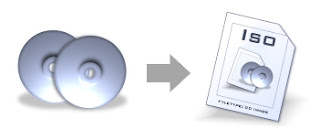
How to Create a DVD ISO Image from Files on a Mac Using the free tools on your Mac to make ISO images I had to create an .ISO file for a client recently, using the contents of a DVD (the VIDEO_TS and AUDIO_TS folders). The resulting ISO disc image had to be compatible on Mac and Windows systems. This tutorial is a little offtopic, but since it took far too much Googling to find the right solution, I figured I'd share the process here for PVC readers. Hopefully these simple steps will save you some trouble. Here's how I did it… Note: This tutorial assumes that you already have the VIDEO_TS and AUDIO_TS files/folders copied onto your hard drive, under a master folder. Steps are for Mac OS X Tiger, but should be nearly identical on Panther and Leopard. Start up Disk Utility, and under the File menu choose New > Disk Image from Folder . Navigate to the master folder that contains the AUDIO_TS and VIDEO_TS folders, and confirm your selecti...
